Grades 3–7 · Live 1:1 online
Scratch Coding Classes for Kids
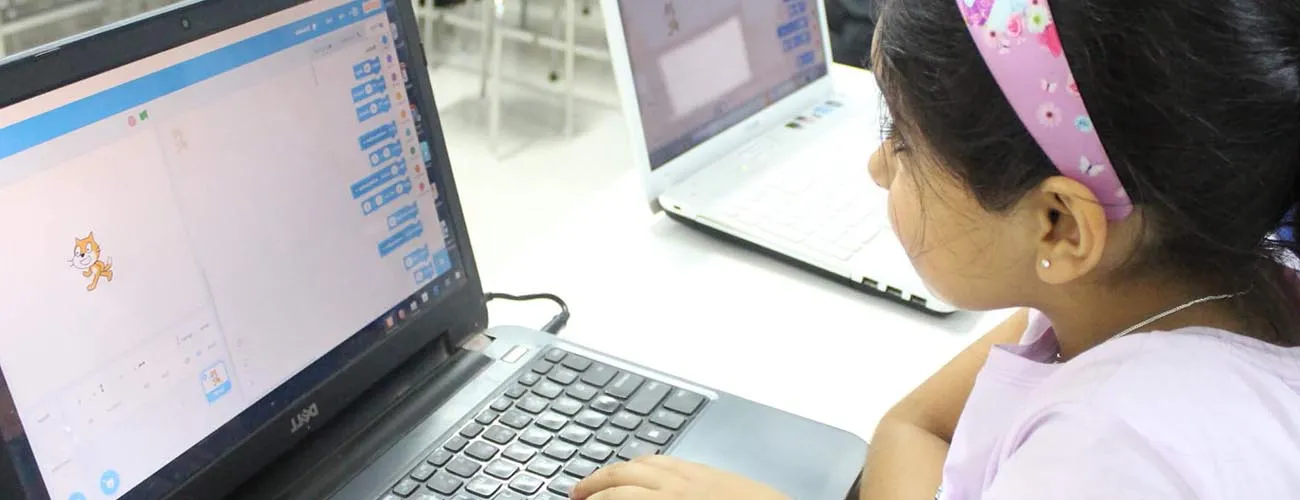
Scratch is the friendliest way to start coding. Children snap together visual blocks to make characters move, talk and react, so they learn real programming ideas without getting stuck on typing or error messages. In our live 1:1 classes, a trainer guides your child from their first animation to complete games they design themselves.
Grades
3–7
Duration
3 months
Topic
Programming · Game Development
Format
Live 1:1 online
Who it's for
Is Scratch right for your child?
- Children in Class 3 to 6 (about ages 7 to 11)
- Complete beginners, including children who don't type quickly yet
- Kids who love games, stories and drawing
Before starting: None. If your child can use a mouse or trackpad and read simple instructions, they're ready.
Scratch is a programming language developed by MIT that gives early exposure to programming without heavy prerequisites. Students are introduced to programming through storytelling — designing scenes, characters, and animations, then writing code to bring them to life. A three-month program with two live sessions per weekend, conducted on Google Meet in 1:1 classes.
Computational concepts covered
- Sequence
- Loops
- Events
- Conditionals
- Parallelism
- Operators
- Data
Concepts from the Creative Computing framework (Harvard Graduate School of Education).
Syllabus
What your child learns in Scratch
Module 1
Getting started
- The Scratch editor, sprites and the stage
- Motion, looks and sound blocks
- Events: starting code when the flag or a key is pressed
Module 2
Loops and timing
- Repeat and forever loops
- Animations with costumes
- Waiting and timing
Module 3
Decisions and interaction
- If / if-else conditions
- Sensing: touching, keys, mouse
- Making characters react to each other
Module 4
Variables and game logic
- Scores, lives and timers
- Random numbers
- Broadcasting messages between sprites
Module 5
Designing a full game
- Planning a game on paper
- Levels, win and lose conditions
- Testing, fixing bugs and sharing
Projects your child builds
- An animated greeting card
- An interactive story with choices
- A maze game with a timer
- A catching or dodging game with levels
- A quiz game with a score
By the end of the course
- Understands sequencing, loops, conditions, events and variables
- Plans a project and breaks it into steps
- Finds and fixes bugs independently
- Is ready to start Python
Level 2 of the CodingChamp learning path
Creative Coding
A natural next step afterwards: Python Classes for Kids. Not sure where your child should start?
One simple price for every course · 20% off now
$96
8 × 60-minute live 1:1 classes · $12 per class · standard $120
FAQ
Scratch classes: parents' questions
Further reading
Competitions for Scratch students
Scratch classes near you
Try a free Scratch trial class
Your child meets a trainer, tries a short lesson, and we suggest the right starting level. No payment needed.
